


Invoice Maker
4.92.55K Reviews
App Specs
- Version
- 4.93.05
- Updated On
- License
- Free
- Downloads
- 1,000,000+
- Developer
- SpeedInvoice
- Categories
- Business
- Platform
- Android, iOS
Screenshots

 Analysis by AppCompare
When I need to send a straightforward invoice without opening a laptop, I want the process to be quick and the finished document to look considered. That is the promise I look for in Invoice Maker: a mobile business app for creating invoices and estimates, with a broad choice of visual styles. It can be useful for freelancers and small businesses, though I would judge it by how well its everyday workflow fits my needs, not just by how many designs it offers.
Quick work, with a little setup first
Invoice Maker is a free business app from SpeedInvoice. It has a 4.9 average from around 36,000 ratings, and more than a million installs. Those figures suggest it has found an audience, but they do not tell me whether its way of handling invoices suits every business. I would treat it as a practical tool to try, then check that its documents and workflow match the way I bill clients.
The app’s appeal is clearest when I already have the necessary business and client details to hand. Entering those details takes some attention at the beginning, but doing that carefully can make later invoice creation feel much faster. My practical tip is to prepare the information I reuse most before setting up: it is easier to review names, contact details, and service descriptions together than to discover missing pieces while a client is waiting.
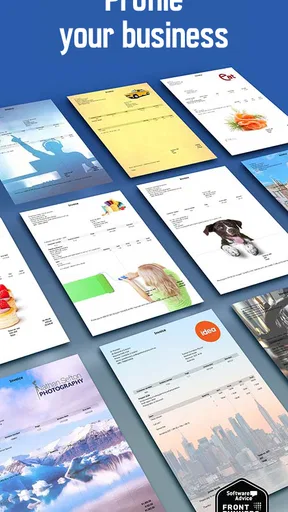
Speed is not only about how quickly an app opens; it is also about how many decisions it asks me to make before I can send a document. A choice of more than 500 invoice backgrounds gives room to find a look that suits a business, but browsing styles can also become a distraction. I would settle on a clear, readable design early and keep it consistent, rather than treating every invoice as a fresh design project.
Where it fits into a busy workday
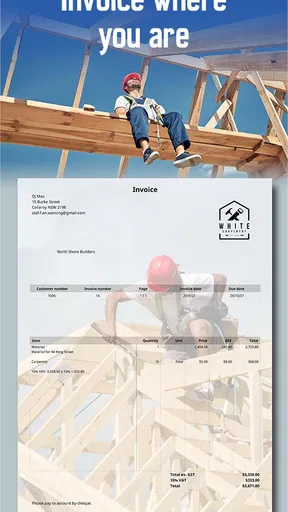
For a freelancer who finishes a short job at a client’s site, a phone-based invoice workflow can be useful: record the work while the details are fresh, check the recipient and line items, and prepare the document before moving on. That is the sort of everyday moment where a mobile invoice maker can save the nuisance of rebuilding the same information later. I would still take a moment to proofread the total and client details before sending; convenience does not replace a final check.
Heavier use changes the calculation. If I were preparing several estimates and invoices in a row, I would want to keep the workflow focused: use a familiar design, make sure each client’s details are correct, and avoid unnecessary edits to the layout between documents. The app’s estimate-making purpose is especially useful when a customer needs a proposed cost before agreeing to work. It lets the billing process begin earlier, but I would keep estimates clearly distinct from invoices in my own records so I do not confuse a proposal with a request for payment.
Compared with a spreadsheet, a dedicated invoice app can feel more natural for producing client-facing documents on a phone. A spreadsheet may be the better fit when I need custom calculations or a broader financial model, while a desktop accounting package may suit a business that wants invoicing alongside more extensive bookkeeping. Invoice Maker’s strongest case is narrower and more approachable: preparing invoices and estimates without turning a small billing task into a larger admin session.
Worth Reading Before You Choose

EA SPORTS FC Mobile 26 Is a Bigger Football Game, but It Takes Time

Flipboard Shows What News Apps Must Do Beyond the Feed

Switching to Android Auto Means Rethinking Your Driving Routine

Google Calendar Makes a Crowded Week Easier to Manage

Ludo King Makes the Most of the Minutes Between Plans

Baby Panda World Brings Quick Play to Modern Phones, but Its Game Library Feels Busy
Getting Started with Invoice Maker
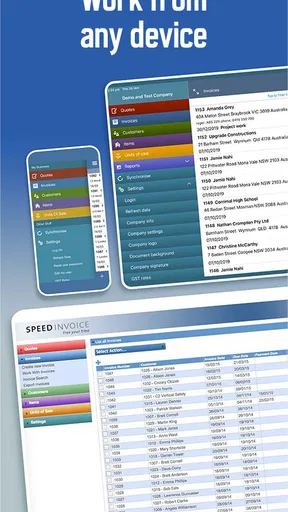
First things first, downloading and setting up Invoice Maker was a breeze. Available on both Android and iOS, the app is ready to roll in just a few taps. Once installed, you’re greeted with a clean and straightforward interface that screams user-friendly. No need to be a tech wizard here; everything is laid out intuitively.
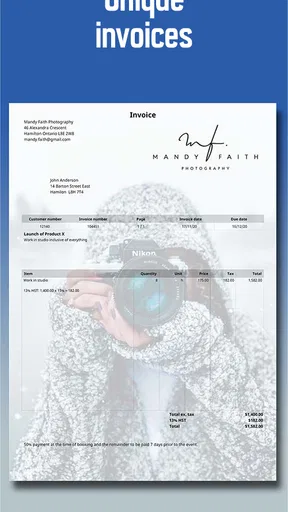
Setting up your business details is the first step once you open the app. Entering information like your business name, logo, and contact info is simple and quick. This personalization feature is a nice touch, making each invoice look polished and professional.
Features That Stand Out
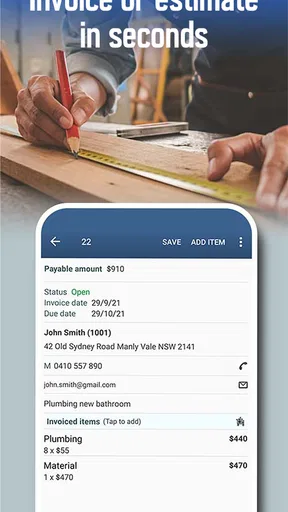
The app is packed with features that make invoicing not just easy but also efficient. One of the standout features is the ability to create invoices on the go. Whether you’re at a client meeting or sipping coffee at a cafe, you can whip up an invoice in minutes. Talk about convenience!
Another nifty feature is the ability to track invoice status. You can see at a glance which invoices have been sent, which are pending, and which have been paid. This helps in keeping your cash flow in check without the need for manual tracking.
Let’s not forget the payment integration. You can connect your preferred payment gateways, allowing clients to pay directly through the invoice. This streamlines the payment process, making it quicker for you to get paid. Cha-ching!
Why I Love Using It
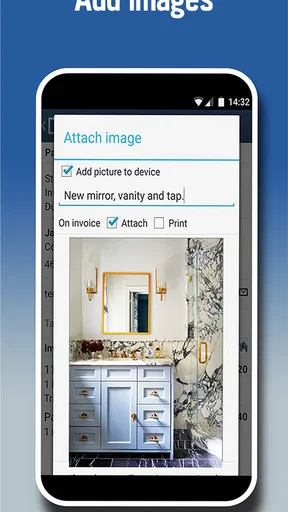
What really makes the app a winner in my book is the customization. You can tailor each invoice to fit your brand's aesthetic. From colors to fonts, and even detailed line items for services or products, the app lets you have full control over the appearance.
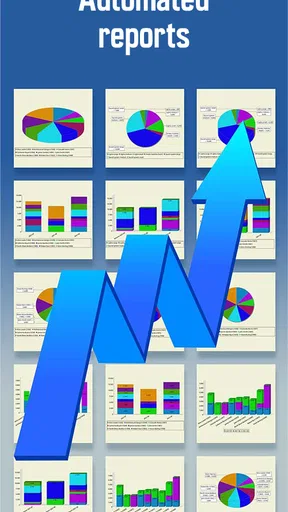
But it’s not just about looks. The app also offers reports and analytics. You can dive into your financial data, see trends, and make informed decisions for your business. For anyone who loves a good spreadsheet, this feature is a godsend.
Reliability and device fit
For a billing tool, reliability means being able to create a document when I need it and trust myself to review it before it reaches a client. I would not assume that a mobile app removes the need for a backup routine: keeping copies of important business records in whatever system I normally use is sensible, particularly if invoices are central to cash flow. The app’s invoice-status view can help me check progress, but it should not be my only habit for following up on overdue work.
The current version is 4.92.04, and the minimum operating system requirement is 7.0. That makes checking device compatibility a useful first step, especially on an older phone or tablet. I would also test the full path I expect to use—creating a sample document, checking its appearance, and confirming that I can reach the information I need—before relying on it during a busy workday. I can’t infer battery use or performance on every device from a version number, so my practical advice is to judge it on the phone you actually use.
Invoice Maker is rated for Everyone. It is free to download, with in-app purchases ranging from $0.99 to $90.95 per item. I would look at the paid options in context rather than assuming the free download includes every feature or that an upgrade is necessary. If I only need occasional invoices, I would first see whether the available tools cover that routine; if billing is a regular part of my work, I would weigh any purchase against the time or flexibility it adds.
A Few Things to Keep in Mind
While the app is pretty fantastic, no app is without its quirks. One thing I noticed is that the free version has some limitations, like restricted invoice templates and the occasional ad. If invoicing is a major part of your business, the premium version might be worth considering to unlock all features.
Also, while the app is generally intuitive, some users might find the initial setup a tad time-consuming if they have lots of detailed information to input. But once you’re past that hurdle, it’s smooth sailing.
There is also a trade-off between a polished document and a workflow that stays quick. When choosing from many backgrounds, I would prioritize readability and make sure the design does not compete with the amount, due details, or description of the work. A distinctive style is useful only if the client can immediately understand what they owe and why. For a business with strict document standards or complicated billing rules, I would compare a sample invoice against those requirements before adopting the app for all client work.
I would skip it if my main need were a complete accounting system rather than mobile invoice creation, or if I depended on a highly specialized billing workflow that a general invoice maker might not match. It is also less compelling if I already have a reliable invoicing process inside the bookkeeping software I use; keeping billing in one place may be more important than adding another app. On the other hand, a sole trader who wants to make estimates and invoices without building templates from scratch may find its focused approach more convenient than a spreadsheet.
The Final Verdict
All in all, Invoice Maker is a solid choice for anyone looking to streamline their invoicing process. Its combination of ease of use, customization, and powerful features makes it a standout option in a crowded market. Whether you’re a freelancer, a small business owner, or just someone who needs to get those invoices out the door, this app has got your back.
So, if you’re tired of wrestling with spreadsheets and manually tracking payments, give it a try. It might just be the lifesaver your business needs!
Pros
- User-friendly interface simplifies invoicing.
- Customizable templates enhance brand identity.
- Supports multiple payment gateways.
- Automatically calculates taxes and totals.
- Cloud storage for easy access and backup.
Cons
- Limited free version features available.
- Occasional syncing issues with bank accounts.
- Reports lack advanced customization options.
- No offline mode for remote areas.
- Customer support response can be slow.
FAQs for Invoice Maker
What features does Invoice Maker offer for small businesses?
Invoice Maker provides a range of features tailored for small businesses, including customizable invoice templates, expense tracking, and client management. Users can also take advantage of automatic tax calculations and multi-currency support. The app allows for easy integration with payment gateways, enabling businesses to send invoices and receive payments seamlessly.
Is Invoice Maker compatible with both Android and iOS devices?
Yes, Invoice Maker is available on both Android and iOS platforms. The app is designed to offer a consistent and user-friendly experience across different devices, ensuring that users can create and manage invoices on the go, regardless of their device preference.
Does Invoice Maker support multiple languages and currencies?
Invoice Maker supports multiple languages and currencies, making it ideal for businesses operating globally. Users can customize invoices to suit their clients’ language and currency requirements, which ensures clear communication and accurate financial transactions, enhancing business efficiency and client satisfaction.
Can I track payments and manage overdue invoices with Invoice Maker?
Invoice Maker includes features for tracking payments and managing overdue invoices. Users receive notifications for payments received and reminders for outstanding invoices, helping maintain cash flow and reduce late payments. The app’s dashboard provides a clear overview of all financial activities, helping users stay organized.
What are the subscription options for Invoice Maker?
Invoice Maker offers various subscription plans, including free and premium options. The free version provides basic functionality, while the premium subscription unlocks advanced features such as enhanced customization, additional templates, and priority customer support. Pricing details and plan comparisons are available on the app's website.


